A list you control
Open settings from the toolbar popup and add the websites you want to avoid. Remove an entry whenever you want to allow it again.
Free, open-source browser extension
Website Blocker: MT is a small focus tool for a list you choose. Add a hostname in settings, then a matching new navigation leads to a simple reminder page instead of the site.

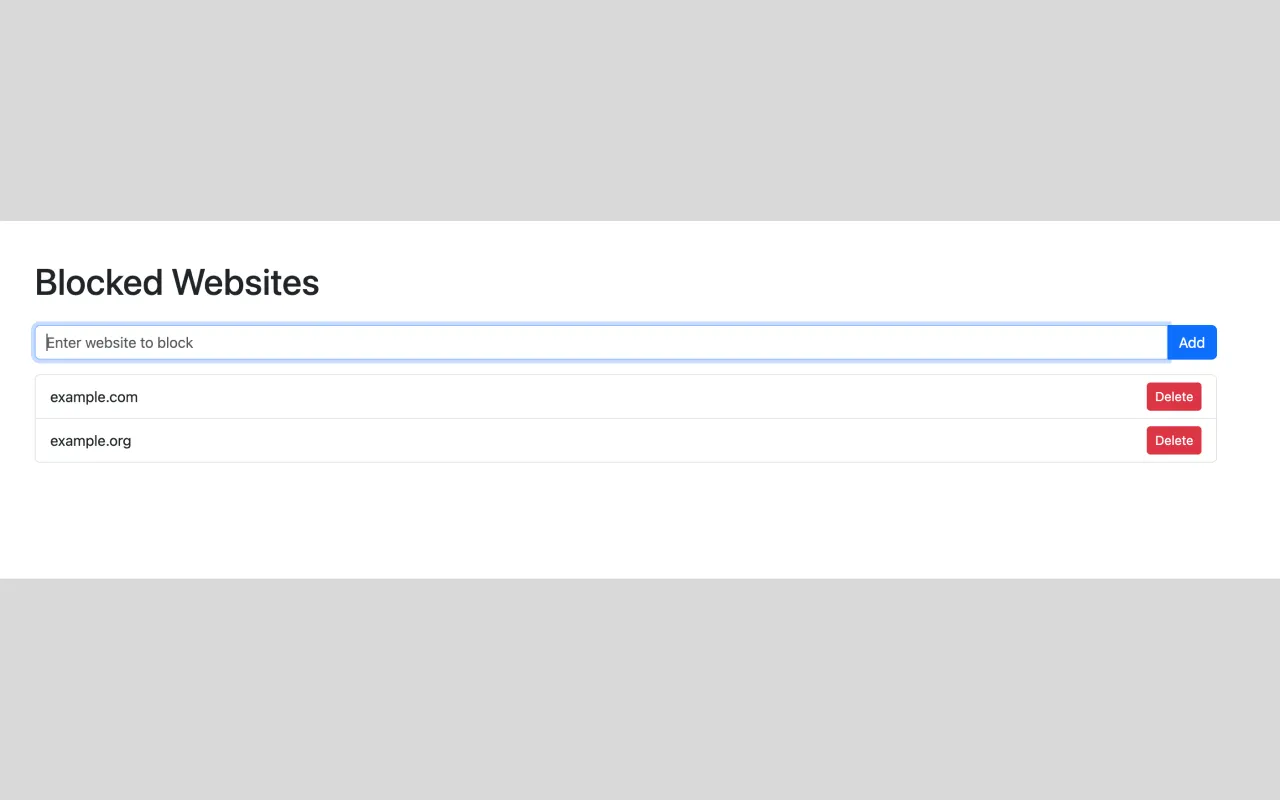
A deliberate three-step workflow
Use the toolbar popup to open Website Blocker: MT settings.
Enter a website such as example.com. A leading www. is treated as the same hostname.
Reload or open the matching site. The extension replaces that top-level navigation with its blocked-page reminder.
Core behavior
Keep a list of the sites that interrupt your focus, then let the extension show a reminder when you navigate to an enabled match.
Open settings from the toolbar popup and add the websites you want to avoid. Remove an entry whenever you want to allow it again.
When an enabled entry matches a new top-level HTTP or HTTPS navigation, the extension redirects that tab to its own reminder page.
The extension compares hostnames and stores your settings in browser extension storage. It has no account, ads, analytics, or developer-operated backend.
Browser compatibility
Website Blocker works in Chrome, Firefox, and Microsoft Edge. Timed blocking and editing saved entries depend on the version installed from your browser’s store. Firefox currently offers version 1.2.9; Edge offers the older 1.2.1 build. Update the extension through your browser’s store when newer controls are available.
Website Blocker: MT checks top-level browser navigation after it commits. It is not a network firewall, parental-control system, password-protected restriction, recurring scheduler, or a way to control other people’s browsing.
Read setup, limitations, and troubleshooting