Find the exact thread
Open the toolbar popup on a public article. Split checks conservative URL variants and verifies every result instead of guessing from a similar title.
Free, open-source browser extension
Split for Hacker News finds the exact discussion behind the public article you are reading. Choose a thread, then keep the real Hacker News comments next to the article instead of switching back and forth.
Chrome requires version 140 or newer. Firefox 140 or newer uses its Sidebar for companion reading. The Chrome Split View and Hacker News story-click flows described below are not included in the Firefox version.


From article to discussion
Open the toolbar popup on a public article. Split checks conservative URL variants and verifies every result instead of guessing from a similar title.
See points and comment counts before opening anything. When an article was submitted more than once, the other discussions stay available as alternatives.
Open the real Hacker News thread in Chrome’s side panel, or use an adjacent discussion tab that you can pair with the article in Chrome Split View.
Nothing opens, moves, or replaces a tab until you select an action. Read the guide to finding Hacker News discussions by URL for the manual method and the matching details.
Two reading modes
Both modes preserve the article and use the original Hacker News page for the discussion. Choose the one that fits the screen and the task.
Compare the side-by-side workflows →Built into Chrome
Keep the current tab untouched while the real Hacker News discussion opens in Chrome’s side panel.
While a panel is open, a temporary rule removes framing and CSP headers from all Hacker News subframes in the browser profile, including frames outside this panel. The full scope is explained in the privacy summary.
More room
Open and reuse a discussion tab next to the article, then pair the two tabs yourself with Chrome Split View.
Split for Hacker News does not create native Split View automatically. Pair the two tabs yourself in Chrome.
Optional shortcuts
Right-click a public link. The article opens in that tab and its discussion opens in the side panel only after you choose the menu item.
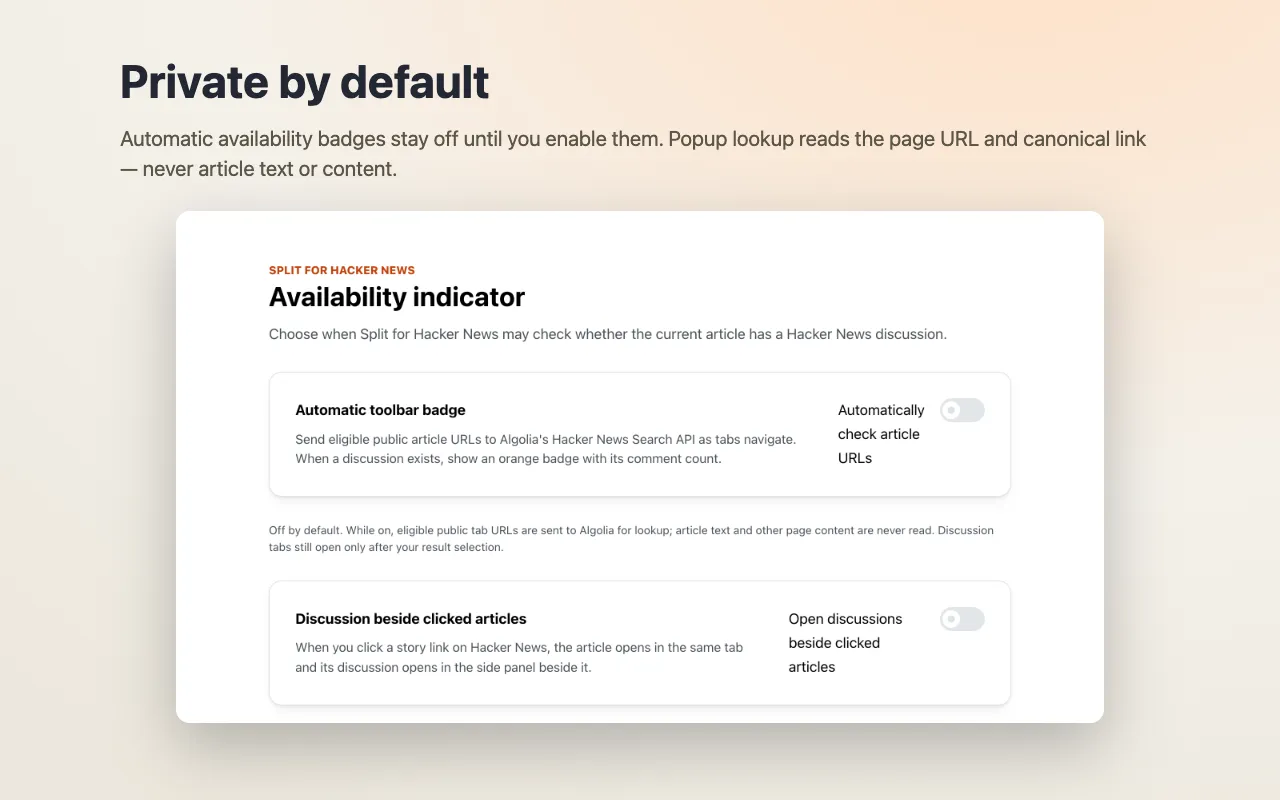
Opt in to open the discussion beside a story when you click its article link on Hacker News. This setting is off by default.
Opt in to see whether the current public article has a discussion before opening the popup. Automatic checks are off by default.
Follow tabs automatically is a separate opt-in that checks active public articles only while a panel is already open. Check this tab checks once without enabling following. Following never opens the panel or rearranges tabs.
Private by default
In manual mode, the popup reads the current page URL and its optional canonical URL only after you open it. Eligible sanitized public URLs go directly to Algolia’s public Hacker News Search API.
Split for Hacker News is free, open source (MIT), and unofficial, with no analytics, telemetry, extension account, advertising, or developer-operated backend. It never reads or sends article text. Opened discussions connect directly to Hacker News, with ordinary request metadata and any cookies allowed by browser policy.
Honest boundaries
Chrome 140+
The public release currently targets desktop Google Chrome.
Hacker News only
It does not search Reddit, Lobsters, or a general web comments index.
Public URLs only
Private, local, signed, credential-bearing, and special-use URLs are rejected.
Submitted articles
A result exists only when Hacker News has a matching indexed submission.
Search by URL
Use Hacker News Search manually, understand URL variants, and handle duplicate submissions.
Reading workflow
Compare the side panel with an adjacent tab and native Chrome Split View.
Ready for the next article?
Install Split for Hacker News, open a public article, and choose where its exact discussion should appear.